Everything about your BigKaro subscription is in one place: Settings → Plan & billing.
The free trial
- Every new account gets a 14-day free trial, with all the features of the top plan. No card is needed to start.
- We email you 3 days before the trial ends, and again the day before.
- When the trial ends without a plan, your workspace pauses until you choose one. Nothing is deleted: your trips, bookings and website are all there when you continue.
Choose a plan
- Open Settings → Plan & billing.
- Choose Yearly or Monthly. Yearly costs less: about two months free.
- Pick a plan. Each one lists what it includes, like how many packages and team members.
- Press Pay … by UPI. The amount includes 18% GST.
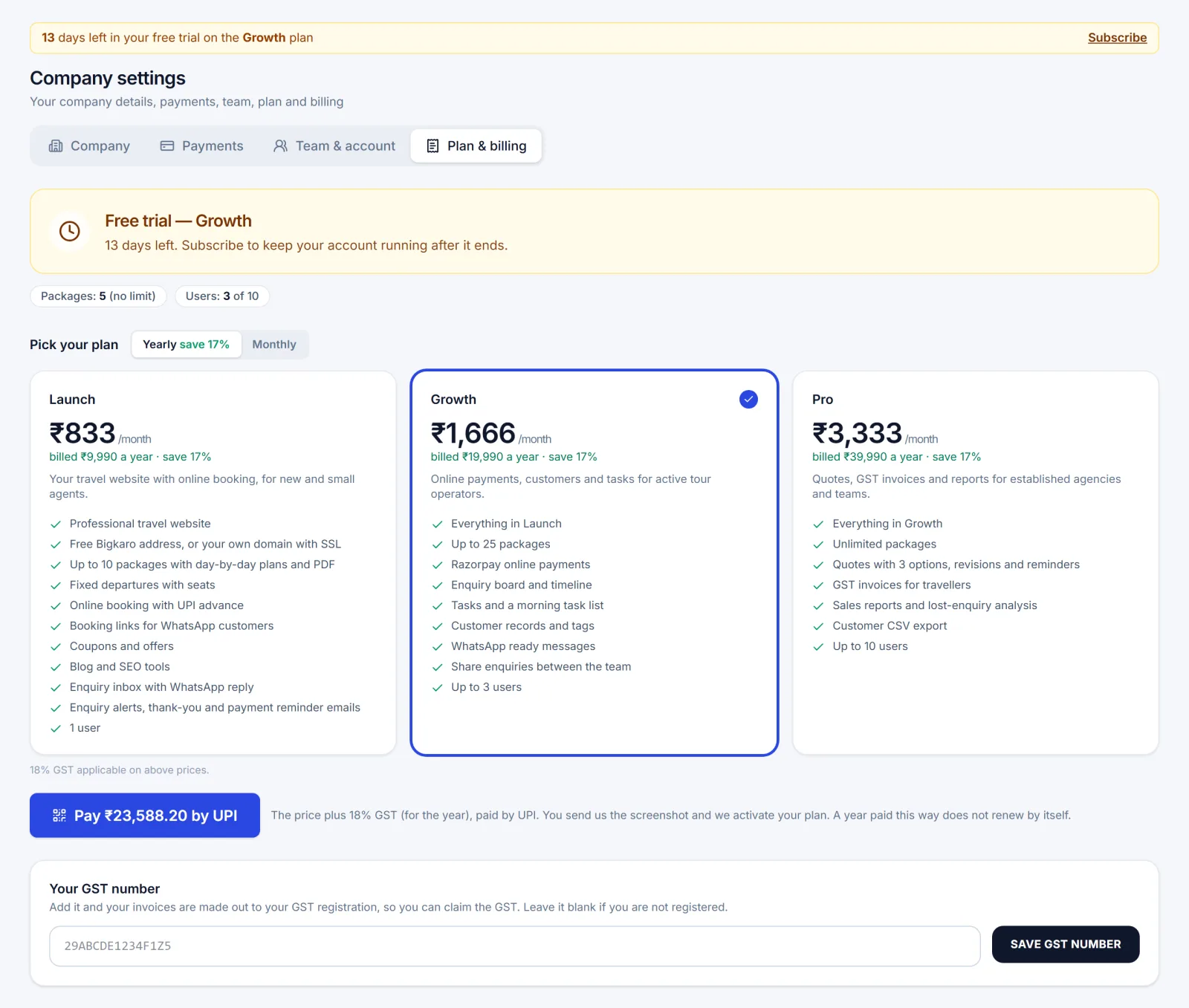
Tip: Your current use is shown at the top, like Packages: 5 and Users: 3 of 10, so you can see which plan fits.
Pay by UPI
- Scan the QR code with any UPI app (the amount is already filled in), or tap Pay with a UPI app on your phone, or pay to the UPI ID shown.
- Take a screenshot of the payment done screen.
- Send it to us with Send on WhatsApp or Send by email.
- Type the transaction number if you have it, and tap I have sent the screenshot.
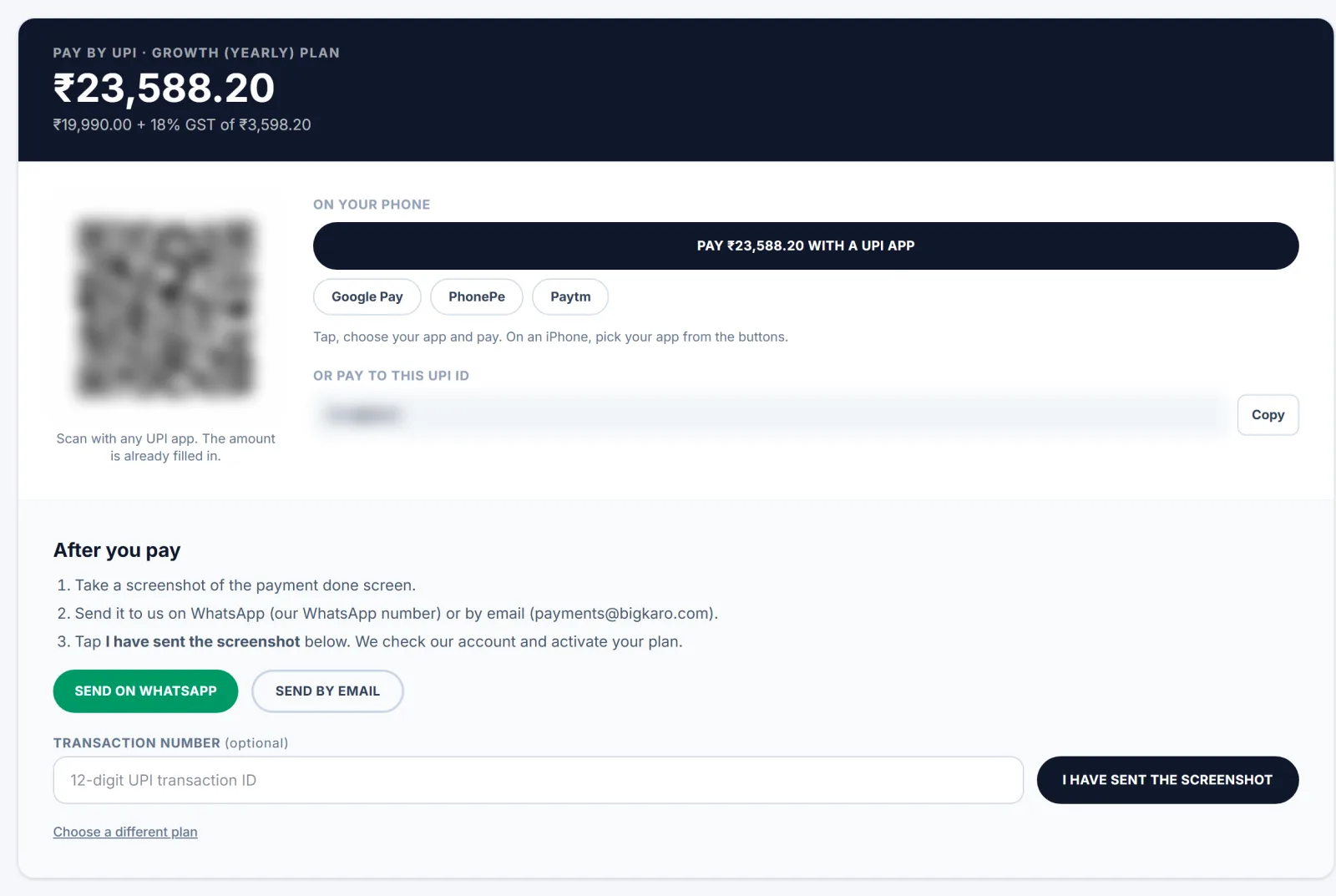
We check our account and switch your plan on as soon as we see the money. You get an email when it is done. Your GST invoice follows by email and appears under Invoices on this page. Picked the wrong plan? Tap Choose a different plan before you pay.
A plan paid by UPI covers the month or year you paid for. We email you a week before it ends, so you can pay for the next one the same way.
Change your plan later
On Settings → Plan & billing, under Change your plan:
- Moving up happens at once. You pay the new price less a credit for the unused days of what you have already paid.
- Moving down, or switching between monthly and yearly, starts from your next payment. Until then you keep everything you have.
Invoices
Every payment, with its GST invoice, is listed under Invoices on the same page. Add your GST number there to have invoices made out to your GST registration, so you can claim the GST.
Cancel
A plan paid by UPI does not renew by itself: if you do not want to continue, simply do not pay for the next period. Your plan keeps working until the end of the period you have paid for. See our refund policy.