BigKaro gives your travel company a ready website with your trips, an enquiry form and WhatsApp button, and online booking. The first version takes about 30 minutes. You can add photos, day-by-day plans and payments afterwards, at your own pace.
Step 1: Start your free trial
- Open bigkaro.com/travel and press Start free trial.
- Enter your company name, your name, phone, email and a password (at least 10 characters).
- Choose a plan. Every plan starts with a 14-day free trial with all features, and no card is needed.
- Accept the terms and press Start My Free Trial.
You are signed in and taken straight to the Quick start.
Step 2: Fill the quick start
The quick start has two short parts.
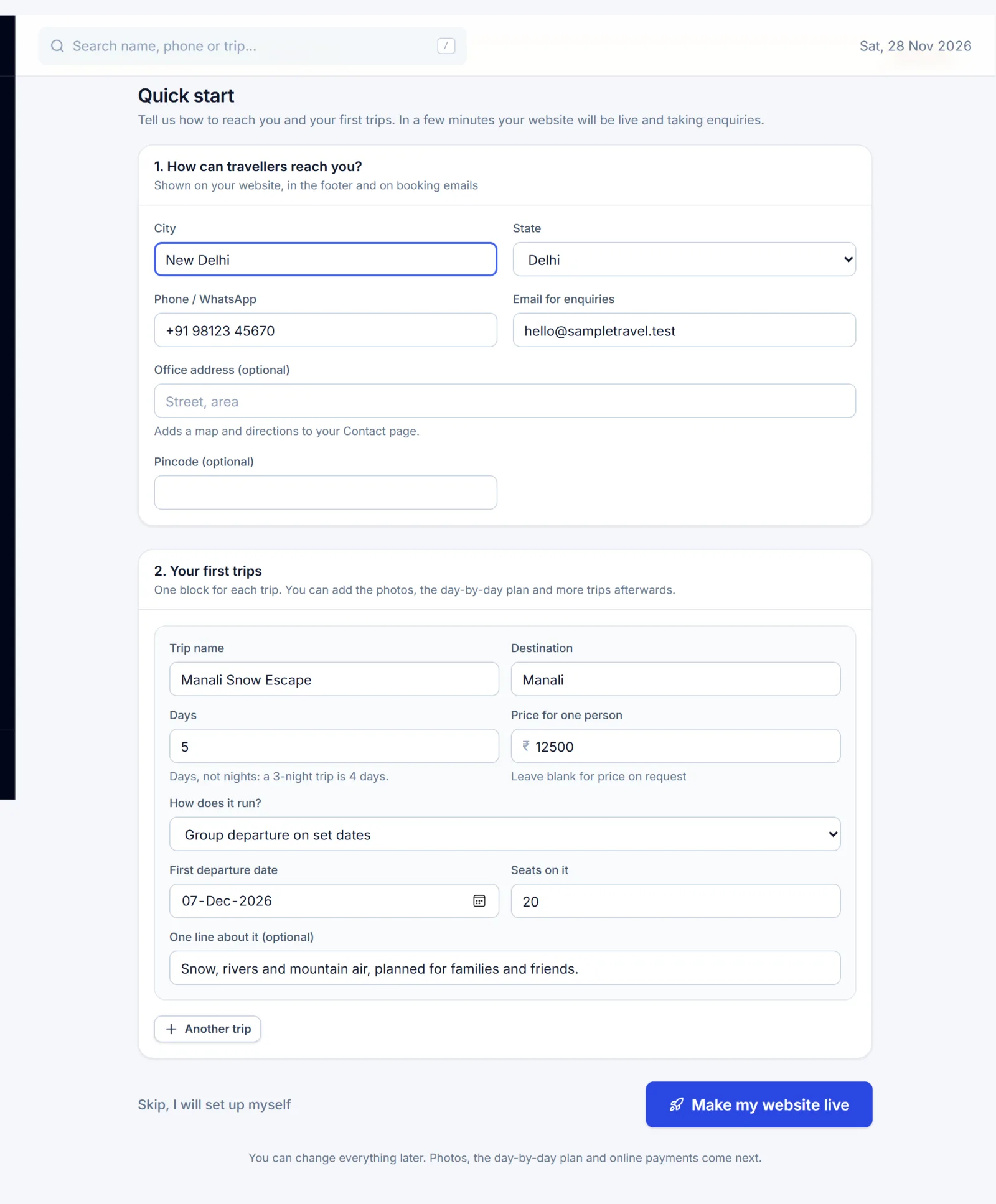
1. How can travellers reach you? Your city and state, your phone or WhatsApp number and the email where enquiries should arrive. The office address is optional; when you add it, your Contact page shows a map.
2. Your first trips. One block for each trip you sell:
- Trip name and destination, like Manali Snow Escape and Manali.
- Days: count days, not nights. A 3-night trip is 4 days.
- Price for one person. Leave it blank to show "Price on request".
- How does it run? Choose Group departure on set dates for batches like "Manali, 12 Dec, 20 seats", then the first departure date and the seats on it. Choose Custom trip for trips you plan for each customer.
- One line about it (optional): the sentence that makes someone open the trip.
Press Another trip to add more. Three or four trips is a good start.
Step 3: Make your website live
Press Make my website live. In a few seconds you see your website's address, like yourcompany.bigkaro.com.
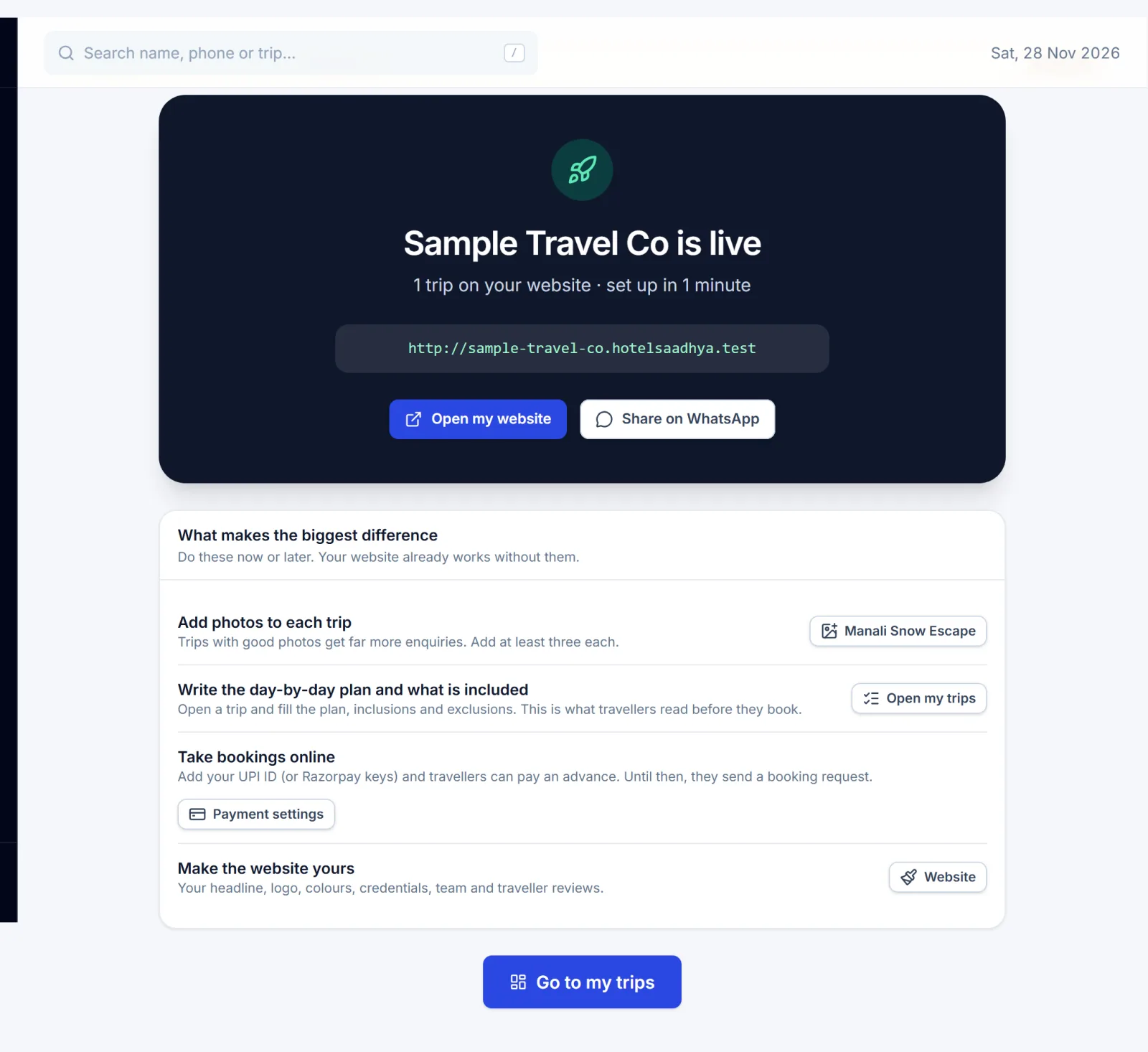
- Press Open my website to see it as a traveller does.
- Press Share on WhatsApp to send the link to your customers and groups.
Step 4: The steps that bring the most enquiries
Your website already works. These four steps, listed on the same screen, make the biggest difference:
- Add photos to each trip: at least three good photos per trip. See Add your first tour package.
- Write the day-by-day plan and what is included: this is what travellers read before they book.
- Take bookings online: add your UPI ID or Razorpay keys so travellers can pay an advance. See Take advance payments.
- Make the website yours: your headline, logo, colours, team and traveller reviews, from Website & marketing → Website.
Tip: Already have a domain like www.yourcompany.com? You can connect it any time. See Connect your own domain.