A fixed-departure trip leaves on set dates, each with a number of seats, like Manali, every Friday, 20 seats. Travellers pick one of these dates when they book. (A custom trip has no dates: the traveller asks for their own.)
Add a departure
- Open Packages, press Edit on the trip, then open the Departures tab.
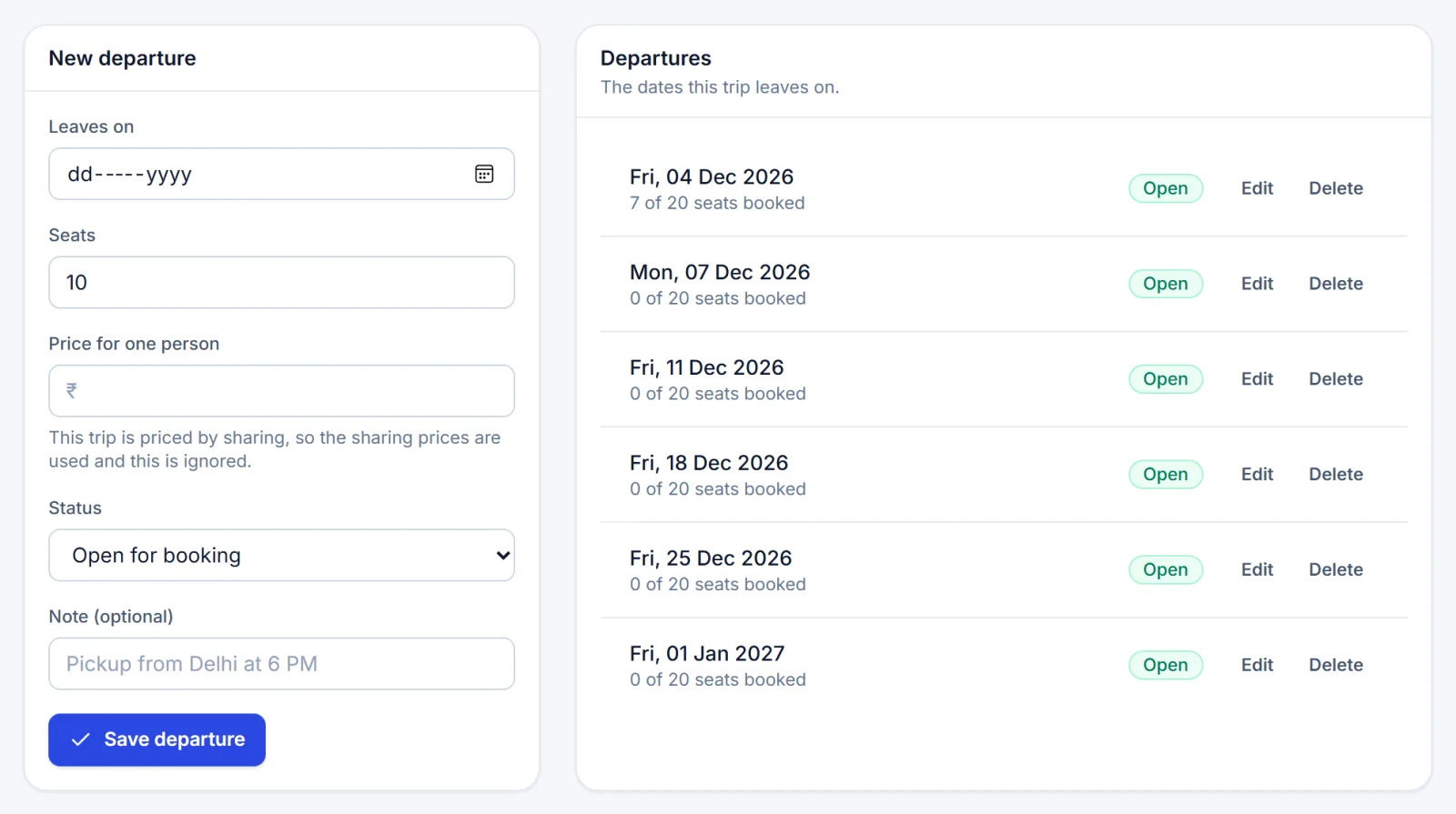
- Under New departure, fill in:
- Leaves on: the date the group starts.
- Seats: how many people can join.
- Price for one person (optional): leave it blank to use the package price. Use it for peak dates, like New Year. If the trip is priced by sharing, the sharing prices are used instead.
- Status: Open for booking.
- Note (optional): something travellers should know, like Pickup from Delhi at 6 PM.
- Press Save departure. The date appears in the list on the right.
Repeat for each date. For a trip that leaves every week, add the dates for the next one or two months.
How seats are counted
- Each booking takes as many seats as it has travellers, adults and children.
- The list shows how many are taken, like 7 of 20 seats booked.
- Your website shows Few seats left when 3 or fewer are left, and Full when none are. A full date cannot be booked.
- A date that has passed closes by itself.
- When you cancel a booking, its seats are free again.
Change, close or cancel a date
Press Edit next to a date to change it, then Save departure. You can add seats at any time; you cannot set fewer seats than are already booked.
- Closed: stops new bookings on that date, but keeps the bookings already made. Use it when you have filled the bus another way.
- Cancelled: the trip will not run on that date. Let the travellers already booked know, and cancel or move their bookings from Bookings.
- Delete: removes a date that has no bookings, for example one added by mistake. A date with booked seats cannot be deleted; set it to Cancelled instead.
Tip: Keep at least two or three open dates on every trip. A trip with no open date shows on your website, but travellers can only send an enquiry, not book.