Every company gets a free address on BigKaro, like yourcompany.bigkaro.com, the moment it signs up. When you have your own domain, like www.yourcompany.com, you can connect it, and your website opens there instead. Your free address keeps working and leads to the same website.
You need:
- a domain you have already bought, from any seller (GoDaddy, BigRock, Hostinger, Namecheap…), and
- the owner account of your company on BigKaro (only the owner can connect a domain).
Step 1: Enter your domain
- Open Website & marketing → Site settings in the menu.
- Find the card Your own domain.
- Type your domain, like www.yourcompany.com, and press Connect domain.
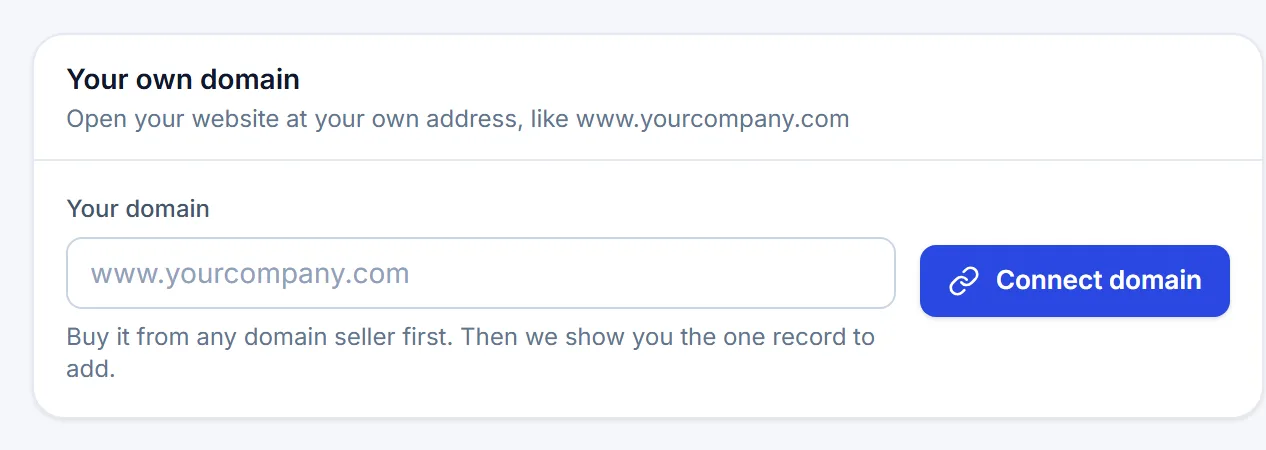
Tip: Enter your domain without www (yourcompany.com) if you want both yourcompany.com and www.yourcompany.com to open your website: BigKaro then shows a record for each. Enter www.yourcompany.com if you only want the www address.
Step 2: Add the DNS record where you bought the domain
BigKaro now shows the record to add, with its Type, Name / Host and Value / Points to.
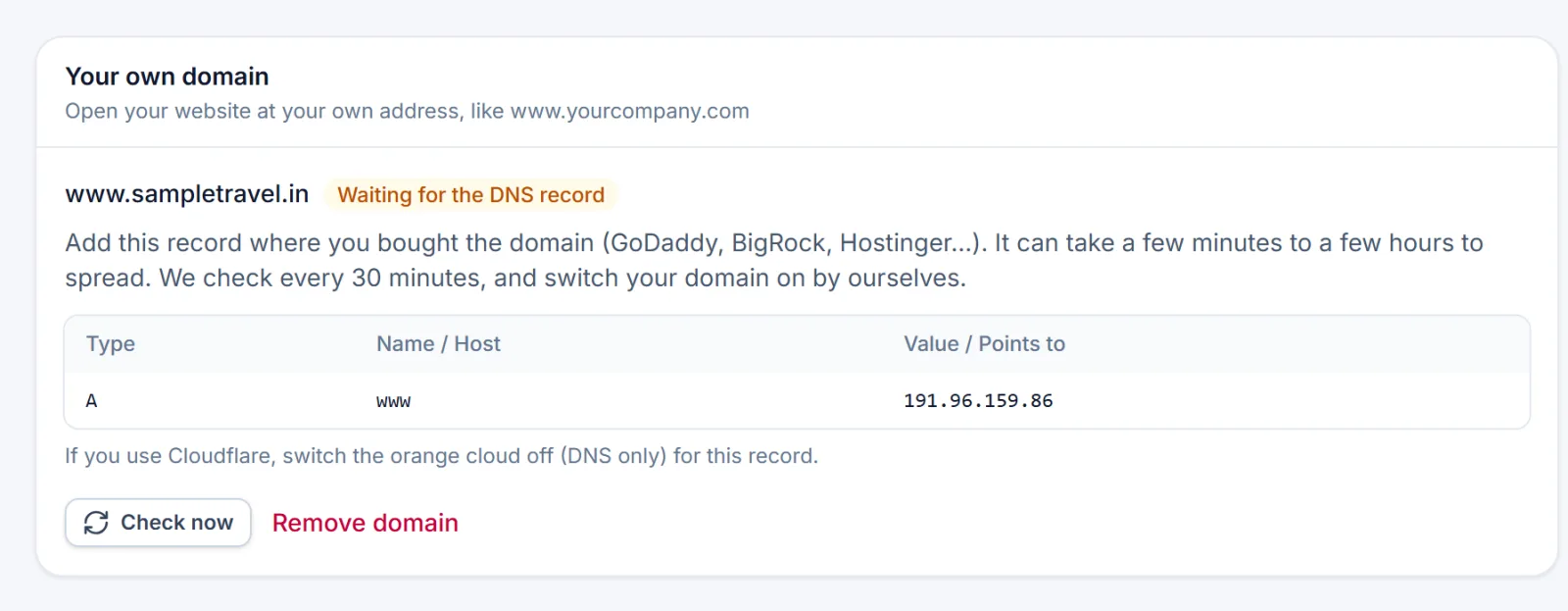
- Sign in where you bought the domain and open its DNS settings (also called DNS Management or Manage DNS).
- Add each record exactly as shown: Type A, the Name (@ for yourcompany.com itself, www for www.yourcompany.com) and the Value shown on your screen.
- If you connected a part of a bigger domain, like book.yourcompany.com, add only the one record BigKaro shows, named book.
- If there is already an A or CNAME record with the same name, edit it to the new value instead of adding a second one.
- Save.
Tip: If your domain uses Cloudflare, switch the orange cloud off (DNS only) for these records.
Step 3: Wait, and BigKaro switches it on
A new DNS record can take a few minutes to a few hours to spread across the internet. BigKaro checks every 30 minutes and, when the record is right:
- gets a free secure (https) certificate for your domain (the card shows Waiting for the secure certificate for a few minutes), and
- switches your domain on. The card then says your domain is connected.
You can press Check now at any time instead of waiting.
From then on your website, every page on it, the booking pages and the links in your emails all use your own domain. Google is told your own domain is the main address, so the free address does not compete with it in search.
If it does not connect
- Still waiting after a few hours? Check that the record's Name and Value match the screen exactly, with no extra spaces or a full stop at the end, and that you edited an existing record rather than leaving an old one with the same name.
- "Could not connect": the card says why. Fix the record and press Try again. If it still fails, write to us and we will connect it for you.
- Changed your mind? Press Remove domain. Your website goes back to its BigKaro address at once.