An enquiry is someone who asked about a trip. The faster you answer, the more of them travel with you. BigKaro keeps every enquiry in one list, so none is lost in WhatsApp chats or call logs.
Where enquiries come from
They arrive by themselves from your website:
- the WhatsApp button: it asks for a name and number first, saves them, then opens the chat,
- the enquiry form on each trip and on your Contact page,
- a request for a trip's itinerary PDF.
You can also write down one that came by phone, a walk-in or anywhere else: press Add an enquiry.
You get an email the moment a new enquiry comes in, and the traveller gets a short "we have your enquiry" email. You can change both under Enquiries → Follow-up settings (the gear button).
The list
Open Enquiries in the menu. At the top you see what needs you: enquiries waiting for an answer and those to follow up today.
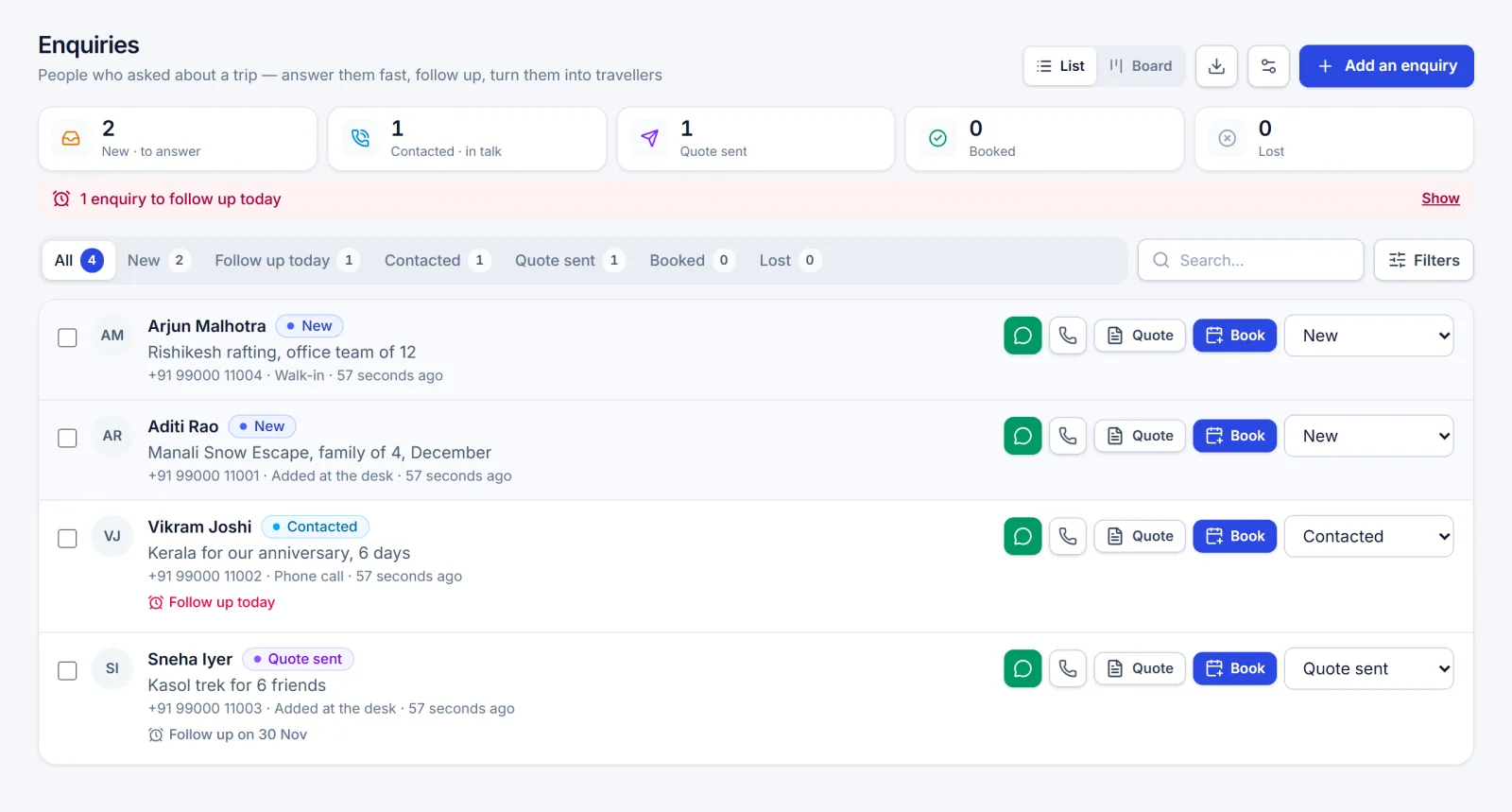
For each enquiry:
- WhatsApp and Call open a chat or a call straight away. The enquiry is marked Contacted.
- Quote makes a quotation for them (see Send a quotation), and Book makes the booking with their details filled in.
- The stage list moves it along: New, Contacted, Quote sent, Booked or Lost. When you mark one lost, pick the reason: it shows you later what keeps costing you bookings.
Use the tabs (New, Follow up today, Booked…), the search and the filters to find the ones you want. Switch to Board to see them as columns by stage.
One enquiry, everything about it
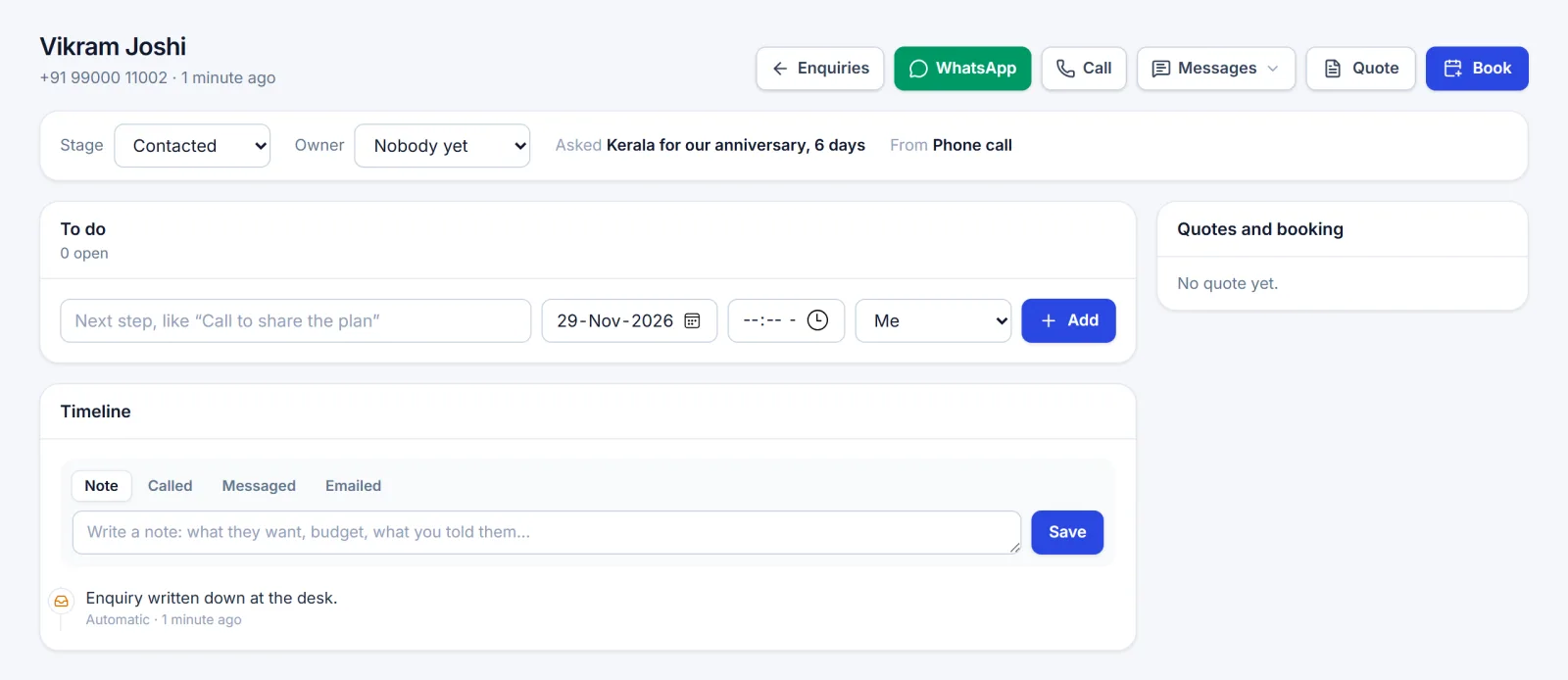
Click a name to open the enquiry's own page (Growth and Pro plans):
- Stage and Owner: who in your team looks after it.
- To do: the next step and when, like Call to share the plan, Friday 5 PM, for you or a team member. It appears in their My tasks.
- Timeline: every note, call, message and email, in order. Write a short note after each talk, so anyone in your team can pick it up.
- Messages: ready WhatsApp messages you can send with one tap.
Follow up on time
Set a follow-up date on any enquiry, and it shows under Follow up today on that day. On the Growth and Pro plans, each person also gets an email every morning at about 8:30 with their tasks for the day and new enquiries nobody has answered.
Share enquiries with your team
- Give one enquiry to someone with Owner on its page.
- Tick several in the list and press Give them to hand them over at once.
- Or switch on Share new enquiries between the team in Follow-up settings: each new enquiry goes to the person with the fewest open ones, and they are told by email.
Tip: Answer within an hour when you can. Most travellers ask more than one agency, and the first good answer usually wins.