A coupon code takes money off a trip's price when a traveller types it while booking. Use codes for festival offers, early-bird deals, group discounts or a thank-you to old customers. Your team can also use them when they make a booking for someone on the phone.
Make a code
- Open Website & marketing → Offers & coupons and press New code.
- Code: letters and numbers with no spaces, like MANALI10 or KASOL500. Press New for a suggestion. Travellers can type it in capitals or small letters.
- Takes off: A percentage (up to 90%) or A fixed amount in rupees. It comes off the whole trip price, adults and children, before the advance is worked out.
- Works until (optional): the last day the code works. Leave it empty for no end date.
- Press Add code.
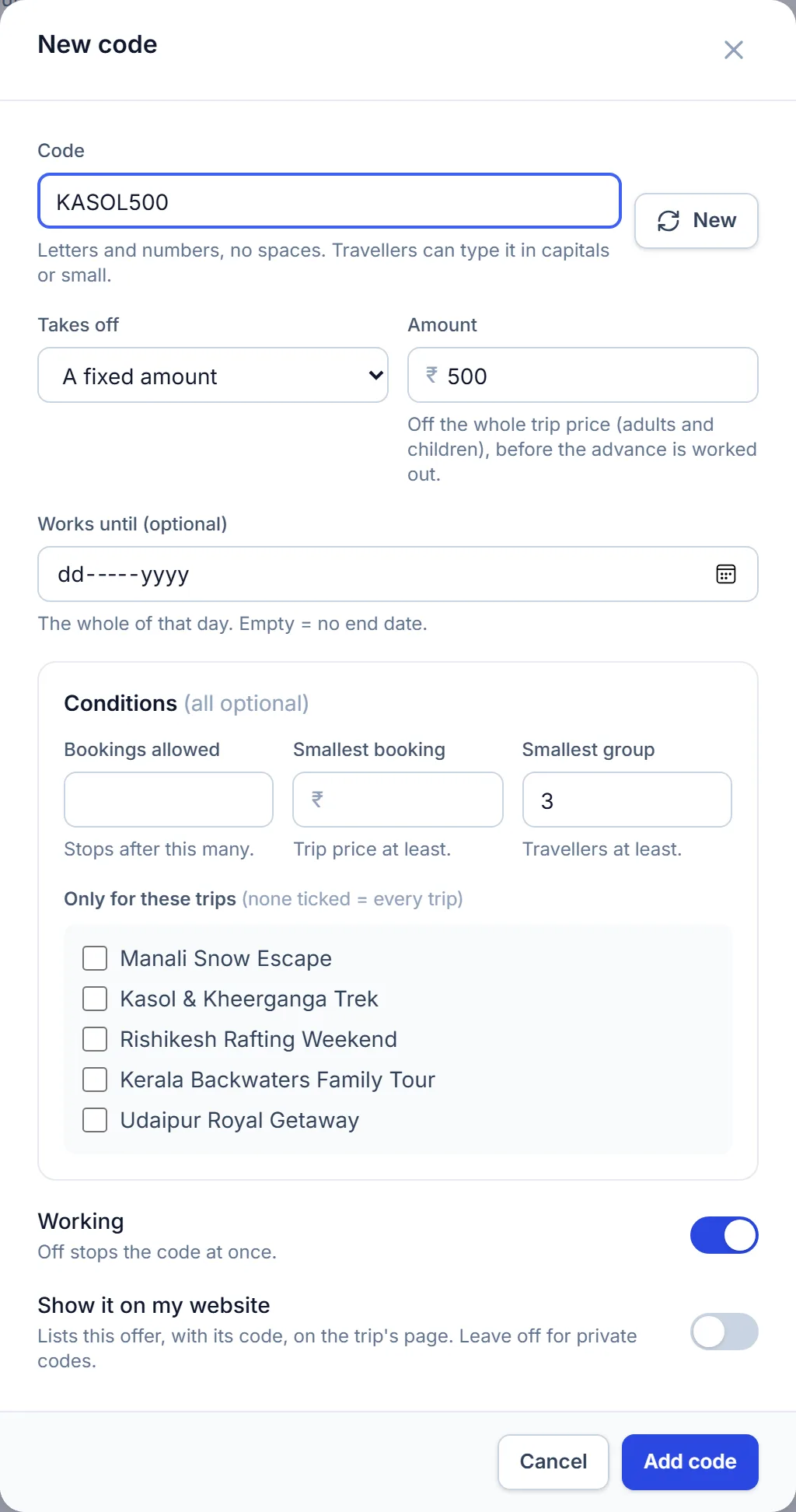
Add conditions (optional)
Under Conditions:
- Bookings allowed: the code stops after this many bookings, like the first 20 bookings.
- Smallest booking: the trip price must be at least this much.
- Smallest group: at least this many travellers, for group offers.
- Only for these trips: tick the trips it works on. Tick none for every trip.
Public or private
- Show it on my website on: the offer and its code appear on the trip's page, so every visitor sees it. Good for festival offers.
- Off: a private code, for the people you send it to on WhatsApp or Instagram.
Working off stops a code at once, without deleting it.
See what each code brought
The list shows every code with its status (Working, Off, Ended or Used up), its conditions, and how many bookings used it, their value and the total discount given.
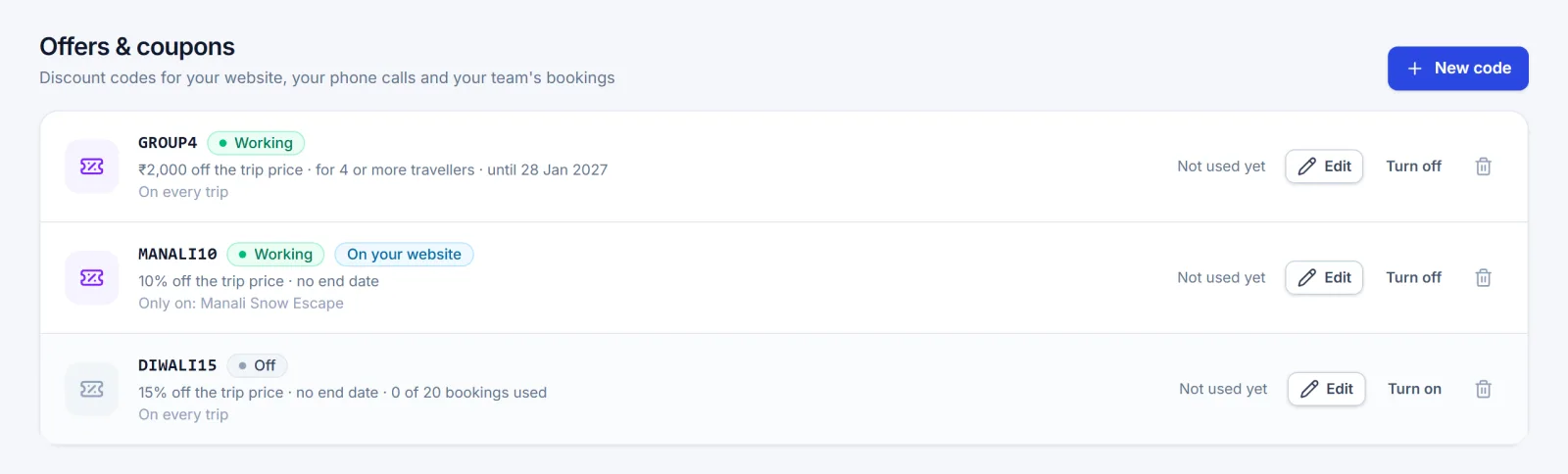
Press Edit to change a code, or Turn off to stop it. A code that has never been used can be deleted.